Fundamentals of Graphics Software | Online Course
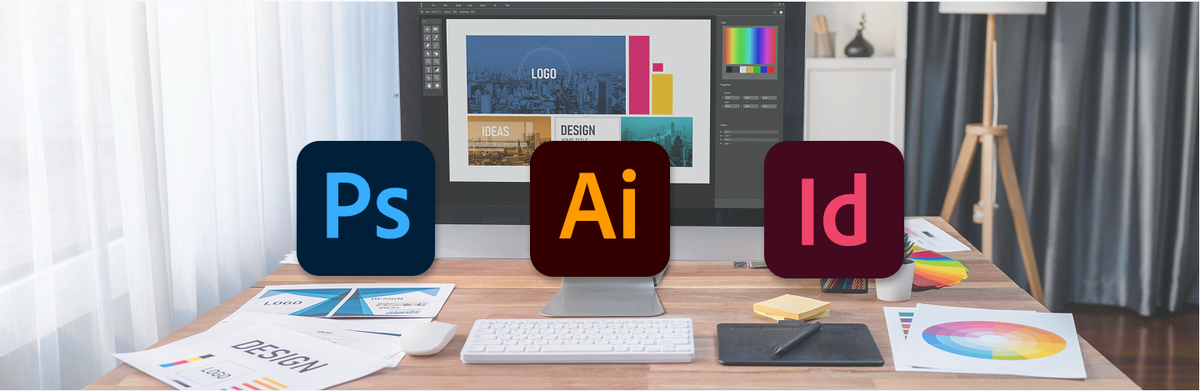
Do you want to be able to use the three most important Adobe programs confidently and effectively? Do you want to study graphic design or other design fields, but first need the necessary software skills? Do you finally want to implement, edit, or modify your own projects with Photoshop, InDesign, and Illustrator without always having to relinquish control?
Everything at a glance
-
 Course start
always on the 1st of the month
-
 Course duration
3 modules at your own pace
For a three-month completion, the time commitment is approximately 10 hours per week.
-
 Course fee
EUR 597, - incl. VAT
-
 Course places
Limited number of participants
-
 Location
100% Online
-
 Course provider
epos in cooperation with OfG / Online School for Design


Target audience
- Beginners and professionals with basic knowledge of graphics software
want to purchase Photoshop / Illustrator / InDesign - Professionals who want to reorient themselves professionally
- Product managers from industry, service and trade
- Career starters seeking employment in the creative industry
- Private users interested in graphics software
- Art and design students who want to further their education
- Interns and trainees in advertising and design agencies
Requirement
- Computer (PC/Mac) with internet access
- Adobe Photoshop / Illustrator / InDesign
Modules
-
 Adobe Photoshop basics
Fundamentals of images and graphics, introduction to Adobe Photoshop, pixel vs. vector, uses of Photoshop, Pareto principle in image editing, useful keyboard shortcuts, user interface, tools, views, color representations, RGB/CMYK, image dimensions, resolutions, color picker, image size and canvas, file formats, destructive vs. non-destructive editing, print vs. web, image corrections, monitor calibration, adjustment layers, working with layers, image compositing, working with masks, working with text, layer styles, vector shapes, smart objects, filters, clipping masks, many practical exercises, monthly assignment.
-
 Adobe Illustrator basics
Fundamentals of pixels and vectors, introduction to Adobe Illustrator, vectors in practice, areas of application, print vs. web, first vector shapes, adjusting colors, outlines, transparency, arranging, working with vectors, the path, curves, pen tool, smart guides, handles, path points, more complex shapes, case studies, grouping, isolation mode, scaling, rotating and mirroring, the Pathfinder tool, file formats, artboard, saving for web, working with text, text tools, text to paths, icons, filters, layer effects, placing and vectorizing, exporting to Photoshop, many practical exercises, monthly assignment.
-
 Adobe InDesign basics
Fundamentals, Introduction to Adobe InDesign, Tools, Display Options and Screen Mode, Options Bar, Text Tools, Case Study: Business Card, Formats and Paper, Aligning Content, Professionally Formatting Content, Line Spacing, Placement, Swatches, Saving, Case Study: Letterhead, Guides, Layers, Case Study: Brochure, Master Pages, Pagination, Importing Images, Editing Image Frames, Links, Multi-Column Layouts, Printing, Final Artwork, Packaging, PDF Creation, Print Request, Printers, Sample Invoices, Numerous Practical Exercises, Monthly Task.


Time frame
You complete the 3 modules of the online distance learning course flexibly at your own pace. The time commitment is approximately 10 hours per week over a 3-month period.
100% Online
- The learning materials are available to you entirely online. They consist of texts combined with graphics, examples, exercises, animations, and videos, etc.
- There are no live webinars and therefore no set times when you need to be online.
- They go through the course at your own pace and at your own time, so you have complete flexibility in terms of time and location.
- The platform can be used via any modern browser on PC or Mac.
Our partner
The online courses offered by OfG are approved by the State Central Office for Distance Learning (ZFU). OfG is a division of Audiocation GmbH, which is officially registered as a training institute in Germany.
They guarantee fair and transparent contract terms, a 14-day right of withdrawal, and a monthly cancellation option with fixed course fees. At OfG, there are no hidden costs such as registration fees, exam fees, etc.